Automatic replies
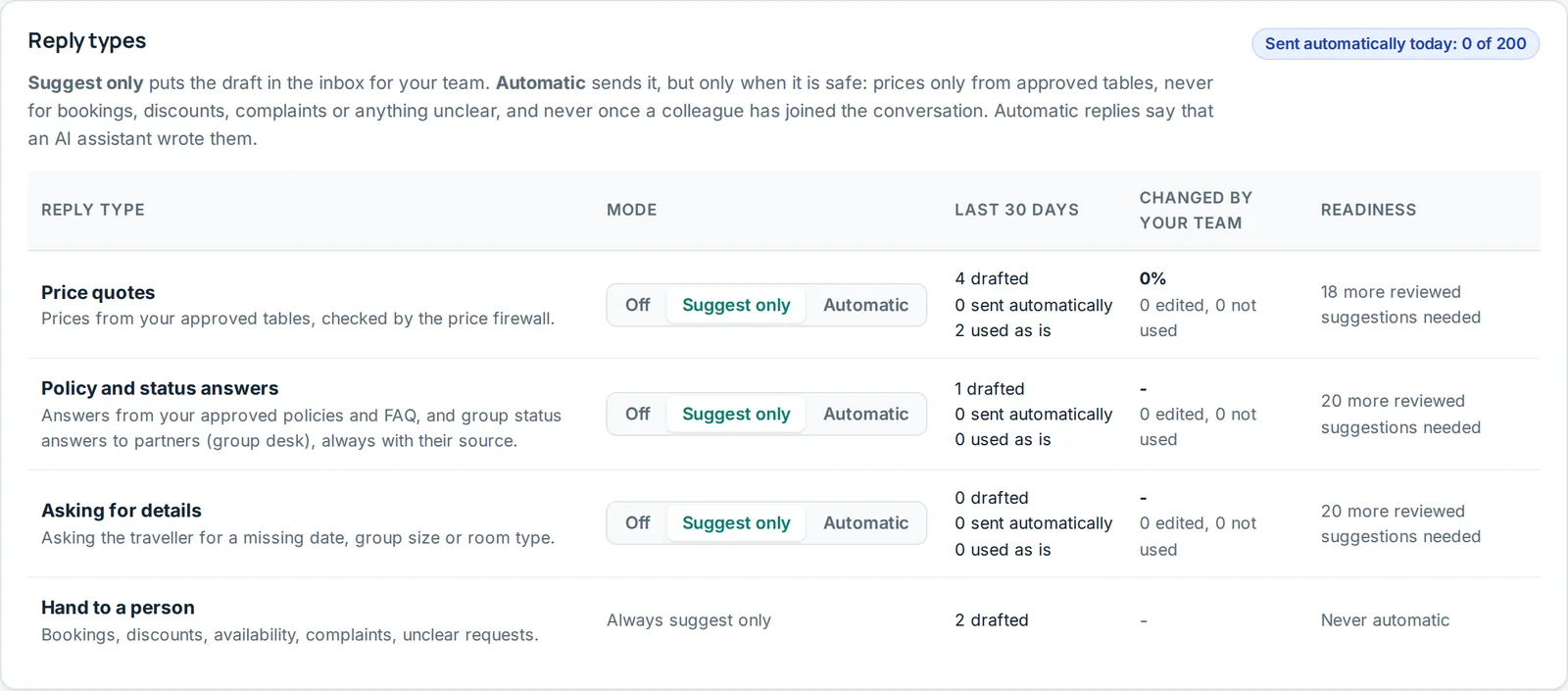
On Automatic replies, owners choose for each reply type whether Fareply only suggests or also sends.
Modes
- Off: nothing is drafted.
- Suggest only (default): a draft appears in the inbox about 10 seconds after the message. A person checks, edits and sends it.
- Automatic: Fareply sends it, with a short note that an AI assistant replied and a colleague is available.
Reply types: Price quotes, Policy answers and Asking for details. Hand-offs to a person are never sent automatically.
When to switch to Automatic
Each type shows how often your team changed the suggestions. It says Ready for automatic after 20 reviewed suggestions with 10% or fewer changed. We recommend two weeks of Suggest only first.
Where and when
- Channels: tick where automatic sending is allowed.
- Hours: for example only at night, when nobody is in the office.
- Daily limit: after this many automatic replies in a day, Fareply only suggests.
- Follow-up reminders: hours after a quote before the inbox reminds you to follow up (0 = off).
Pause all automatic replies stops all sending at once; everything becomes a suggestion until you resume.
"Not sent automatically: ..."
The draft stayed a suggestion. Common reasons: outside automatic hours, daily limit reached, a colleague replied in this conversation in the last 24 hours, the channel's reply window closed, or a newer message arrived. Check the draft and send it yourself.