Upload a rate sheet and approve prices
Fareply quotes only from price tables an owner approved. The fastest way to create them is to upload the price list you already have.
1. Upload
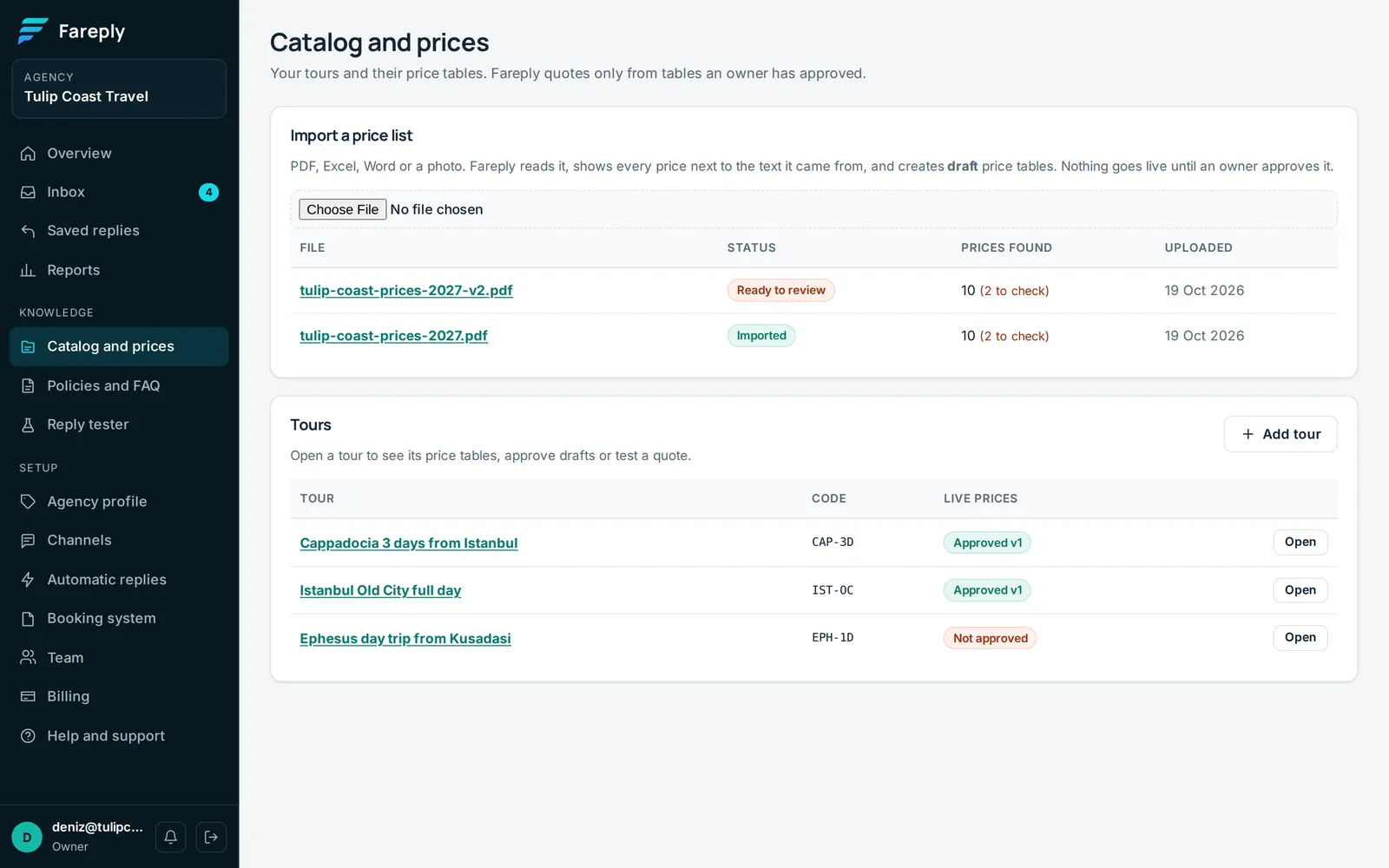
- Open Catalog and prices and use Import a price list.
- Choose a PDF, Excel (.xlsx), Word (.docx), PNG or JPG file. Limits: 20 MB, 40 PDF pages, 3,000 spreadsheet rows. Old .xls and .doc files: save them as .xlsx or .docx first.
- The status goes from Reading… to Ready to review, usually within a few minutes.
2. Review
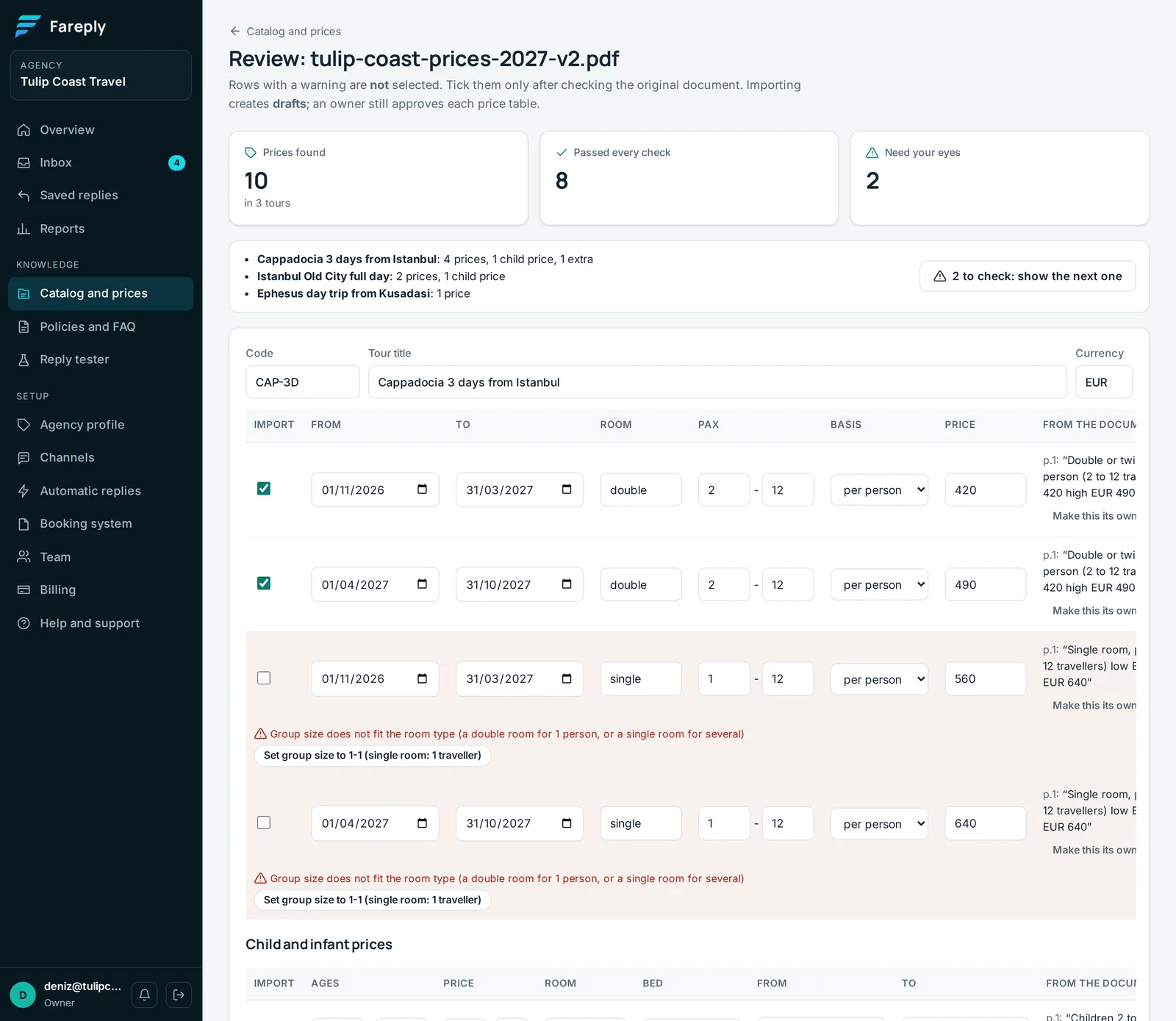
The review page shows every price found, next to the exact text it came from in your document, with the page number.
- Passed every check: ticked for import.
- Need your eyes: not ticked. Compare with your original, then tick it. Click N to check: show the next one to go through them.
- One-click fixes (for example "Split into 2 seasons") change dates or group sizes only, never a price. Undo last fix reverses one.
- Child and infant prices, and supplements and extras, are listed in their own sections.
Click Create drafts. Policies found in the document (cancellation terms and similar) are added as drafts to Policies and FAQ.
3. Approve (owners)
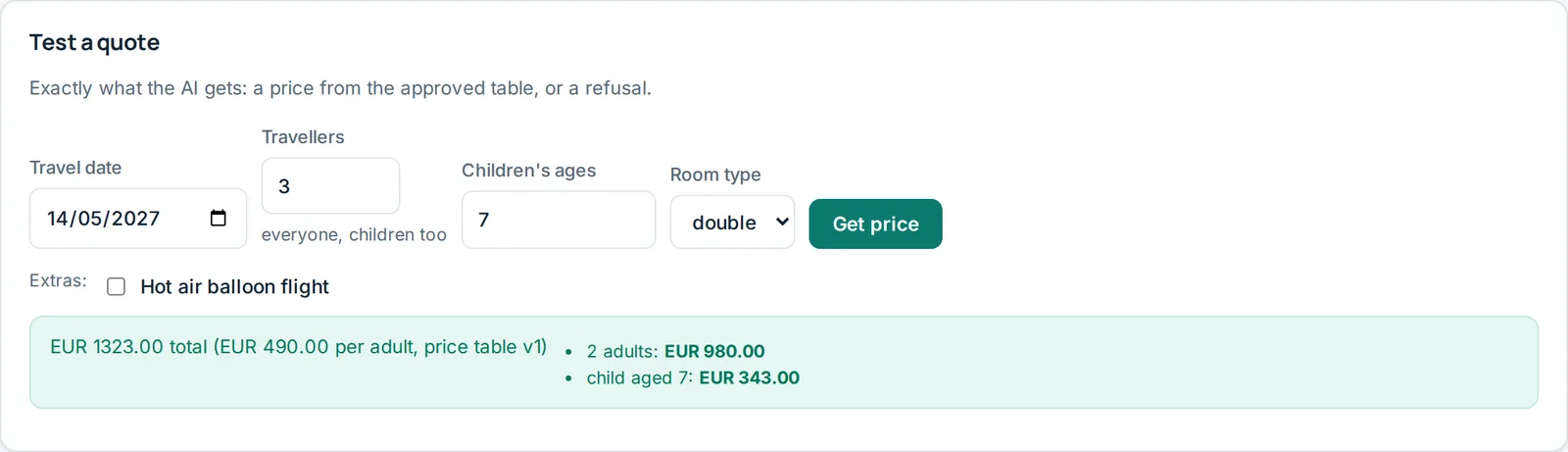
Open each tour, check the draft table and click Approve. The tour then shows Live: v1. Use Test a quote on the tour page to see exactly what a traveller would be quoted.
Approved tables cannot be edited, so every quote can be traced to the version it came from. To change prices, click Start from the live version, edit, Save draft and approve. The new version replaces the old one.
Common messages
"Overlaps another row (same room, dates and group size)"
Two prices cover the same case, so Fareply would not know which to quote. Remove or fix one. Approval is refused until rows no longer overlap.
"Read from a scanned image: check against the original"
The page was a picture, not text. Check the number carefully before ticking it.
"No group size found in the document"
Confirm who the price is for (for example 2 to 6 people) before importing.
"N prices in the document were not imported"
Deposits, fees and "from" teaser prices can be ignored. Add real tour prices by hand on the tour page.
Rules worth knowing
- Group size counts every traveller, children included.
- A tour without child prices never prices children: such questions go to a person.
- Different child prices with and without a bed: set Bed on each child price. When a traveller does not say, the reply asks whether the child needs an extra bed or shares a bed.
- One table listing several separate things, like add-on excursions: use Make this its own tour on each price, check the new titles, then create the drafts.
- Extras marked "always" are added on their dates; "when asked" extras only when the traveller asks.
- A month is quoted only when every day in it has the same price; otherwise the traveller is asked for the date.