Working in the inbox
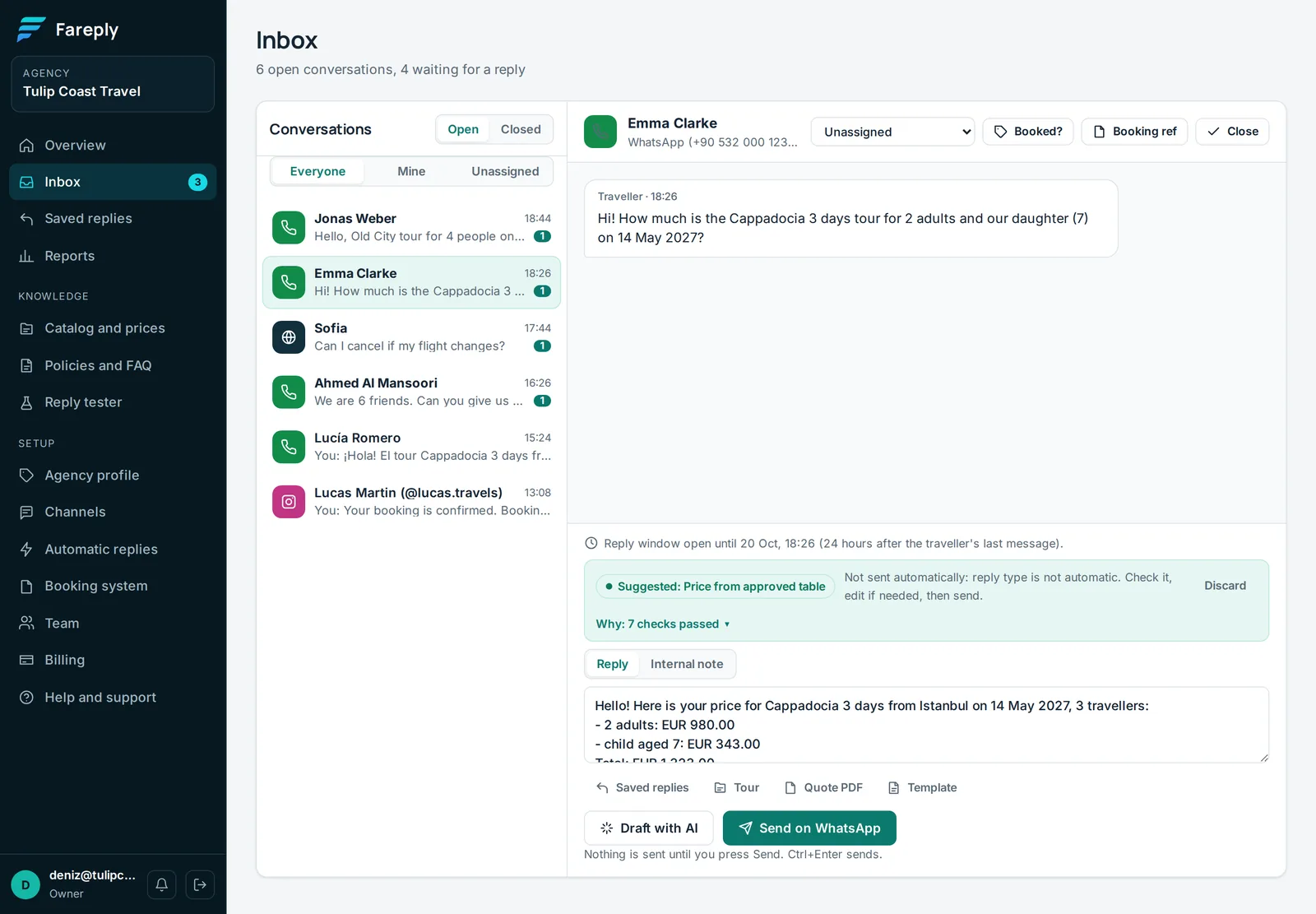
Every channel arrives in one Inbox. Filter by Open or Closed, and by Everyone, Mine or Unassigned.
Replying
- Check the suggested draft, edit if needed and click Send (or Ctrl+Enter). Nothing is sent until you do.
- Draft with AI asks for a new draft for the latest traveller message.
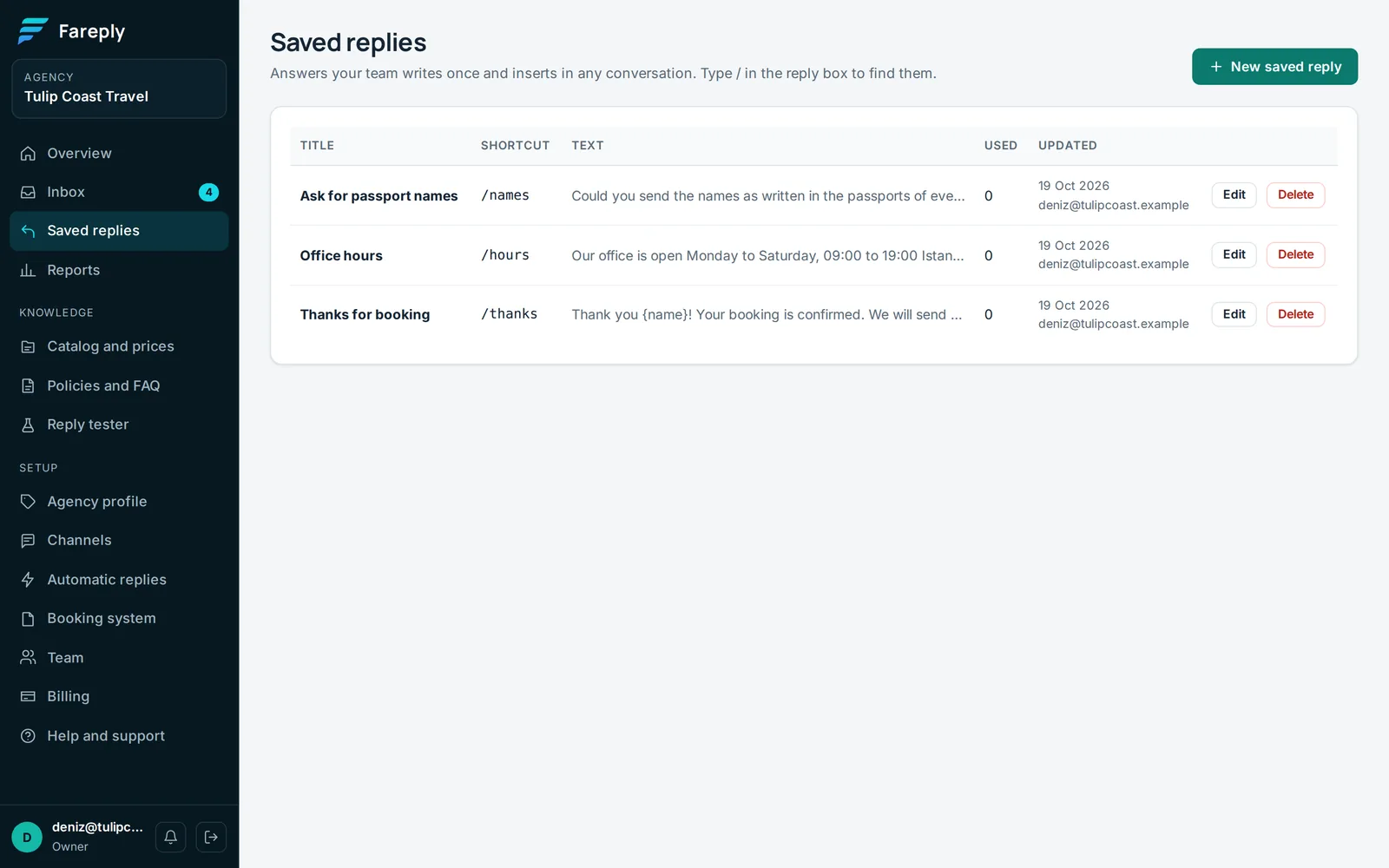
- Saved replies: type
/at the start of the box to insert one. Create them on Saved replies;{name}becomes the traveller's first name. - Tour sends a tour card with the "from" price of the approved table.
Voice messages
When a traveller sends a voice message on WhatsApp, Messenger, Instagram, Telegram or LINE, Fareply writes it out as text within a few seconds. It appears in the conversation as Voice message, written out, and Fareply suggests a reply to it like to a typed message. WeChat sends its own transcription when the traveller has it on. Only the text is kept, never the audio; to listen to it, open the channel's own app. An owner can switch this off under Automatic replies, Turn voice messages into text.
Teamwork
- Assigned to sets who handles the conversation.
- Internal note: notes for your team. The traveller never sees them.
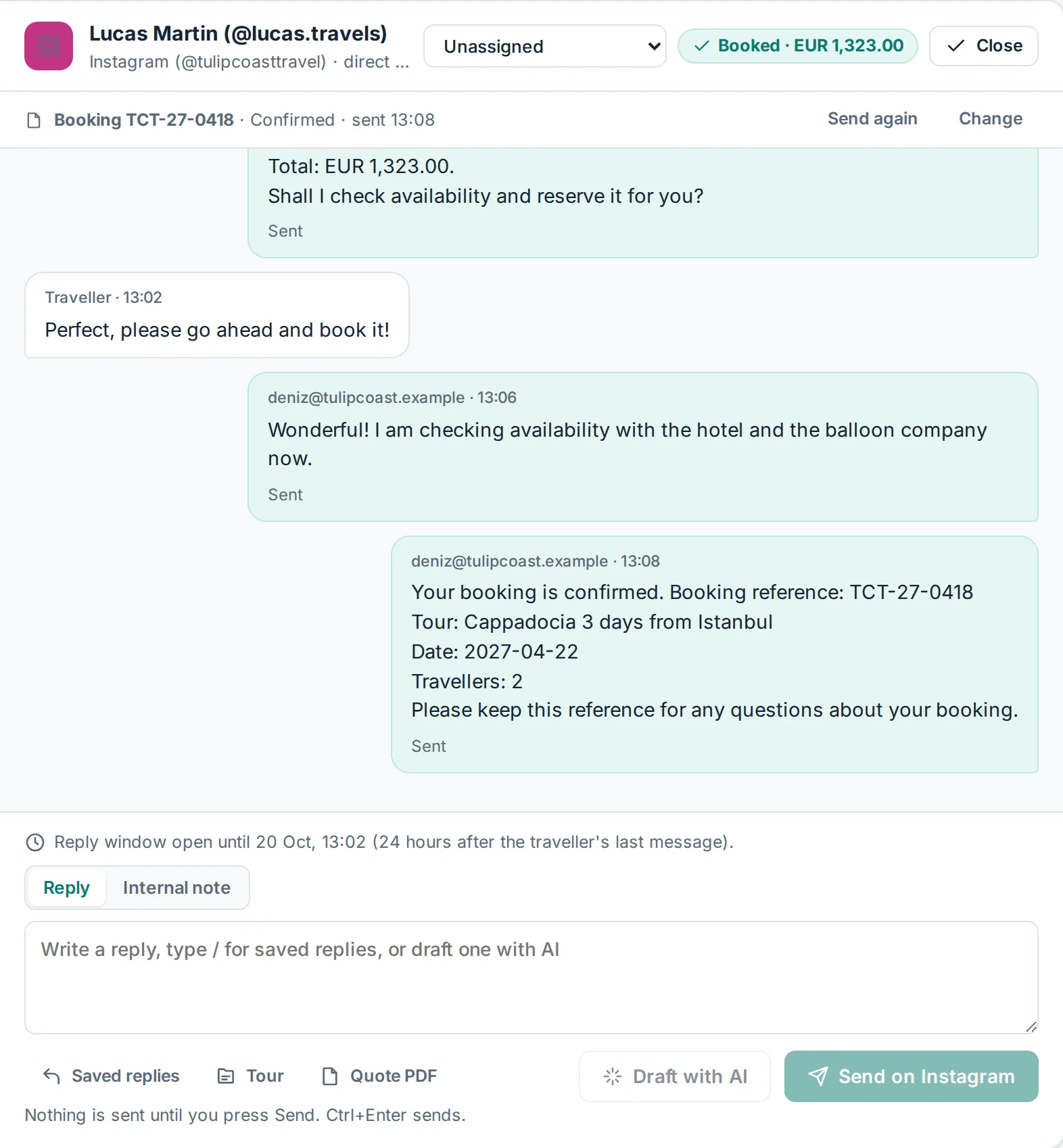
- Booked? marks the conversation as a booking, with the last quoted total. Reports then show how many quotes became bookings.
- Close when done. A new message from the traveller reopens it.
Follow-ups
When a traveller has not answered a quote, the conversation shows "No reply to your quote for N hours" with Draft a follow-up. Change the timing on Automatic replies.
New message alerts
The bell at the bottom of the menu turns alerts on or off for this browser: a short sound, and a notification when the tab is in the background. Notifications never show the message text. If you hear nothing, click anywhere on the page once: browsers block sound until you do, and allow notifications for app.fareply.com when asked.