Policies, FAQ and the Reply tester
Questions that are not about price ("Is breakfast included?", "Can I cancel?") are answered only from texts an owner approved on Policies and FAQ.
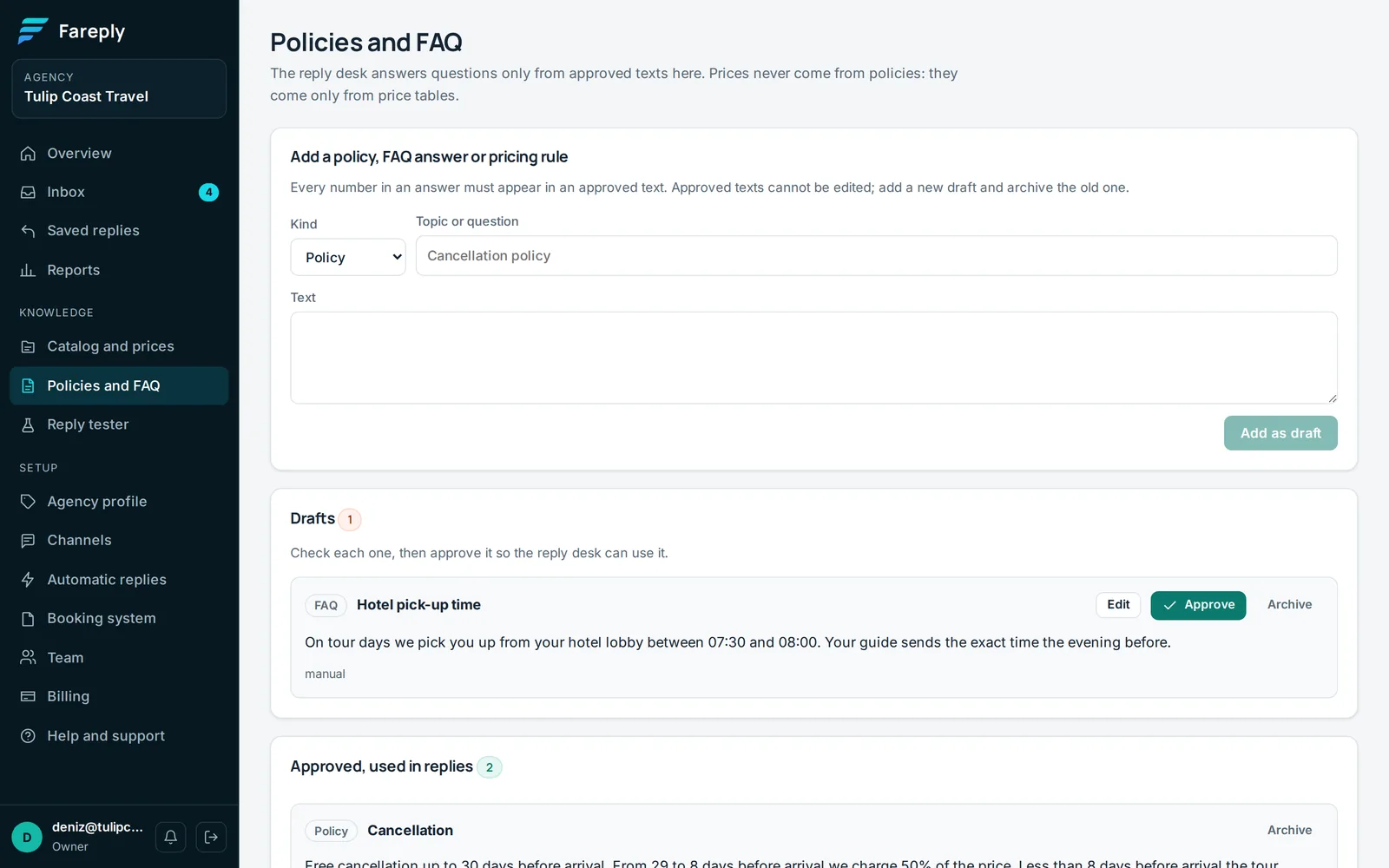
Add a text
- Open Policies and FAQ. Choose a Kind: Policy, FAQ or Pricing rule.
- Write the Topic or question (for example "Cancellation") and the Text, exactly as you want travellers to read it.
- Click Add as draft. An owner clicks Approve.
Approved texts cannot be edited. To change one, add a new draft and archive the old text.
What Fareply will and will not say
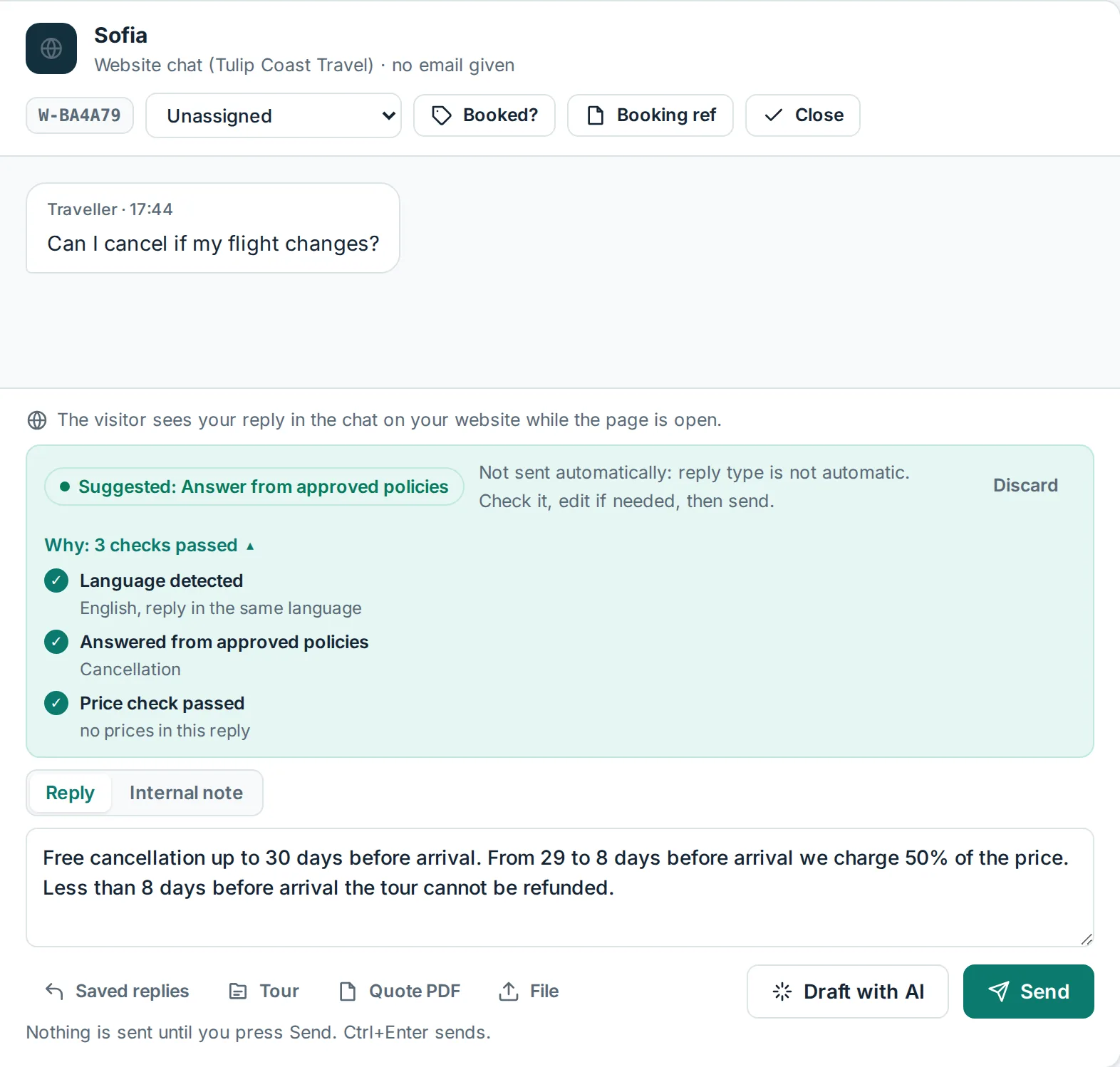
- Answers repeat your approved wording and name the text they used.
- Every number in an answer must appear in your text or in the traveller's message.
- Prices never come from policies, only from approved price tables. A policy answer that mentions money is stopped and handed to a person.
- If no approved text answers the question, a colleague answers instead.
Write your own booking and cancellation terms for your tours. Fareply's refund page is about the Fareply subscription, not your tours.
Reply tester
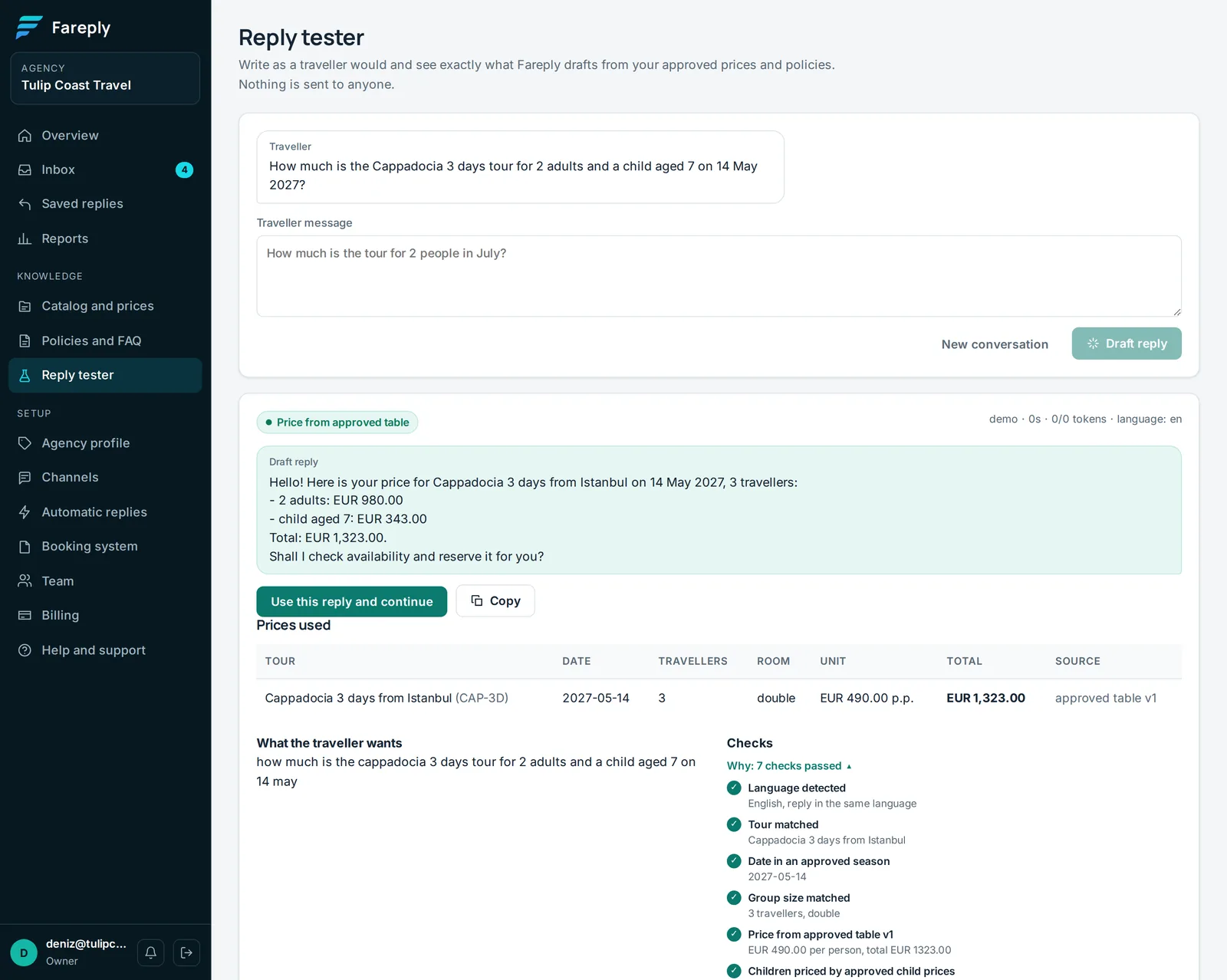
Open Reply tester, write as a traveller would and click Draft reply. You see the reply, the prices and policies it used, what is still missing, and why a person should answer when it hands over. Click Use this reply and continue to test a follow-up question. Nothing is sent to anyone, and tests do not count toward your monthly AI replies.