Add the chat to your website
The website chat sends visitors' questions to the same inbox, with the same checked replies.
Create it
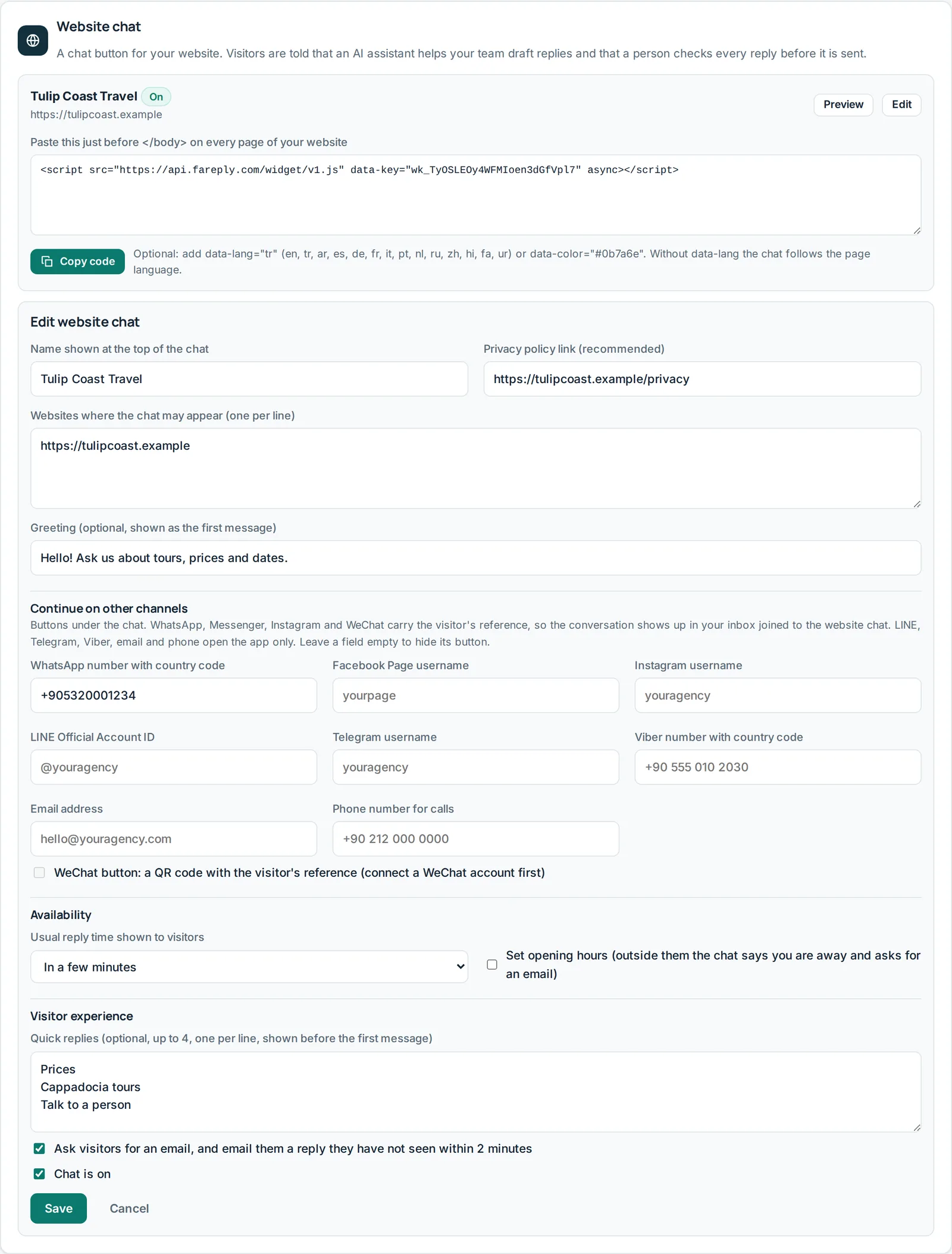
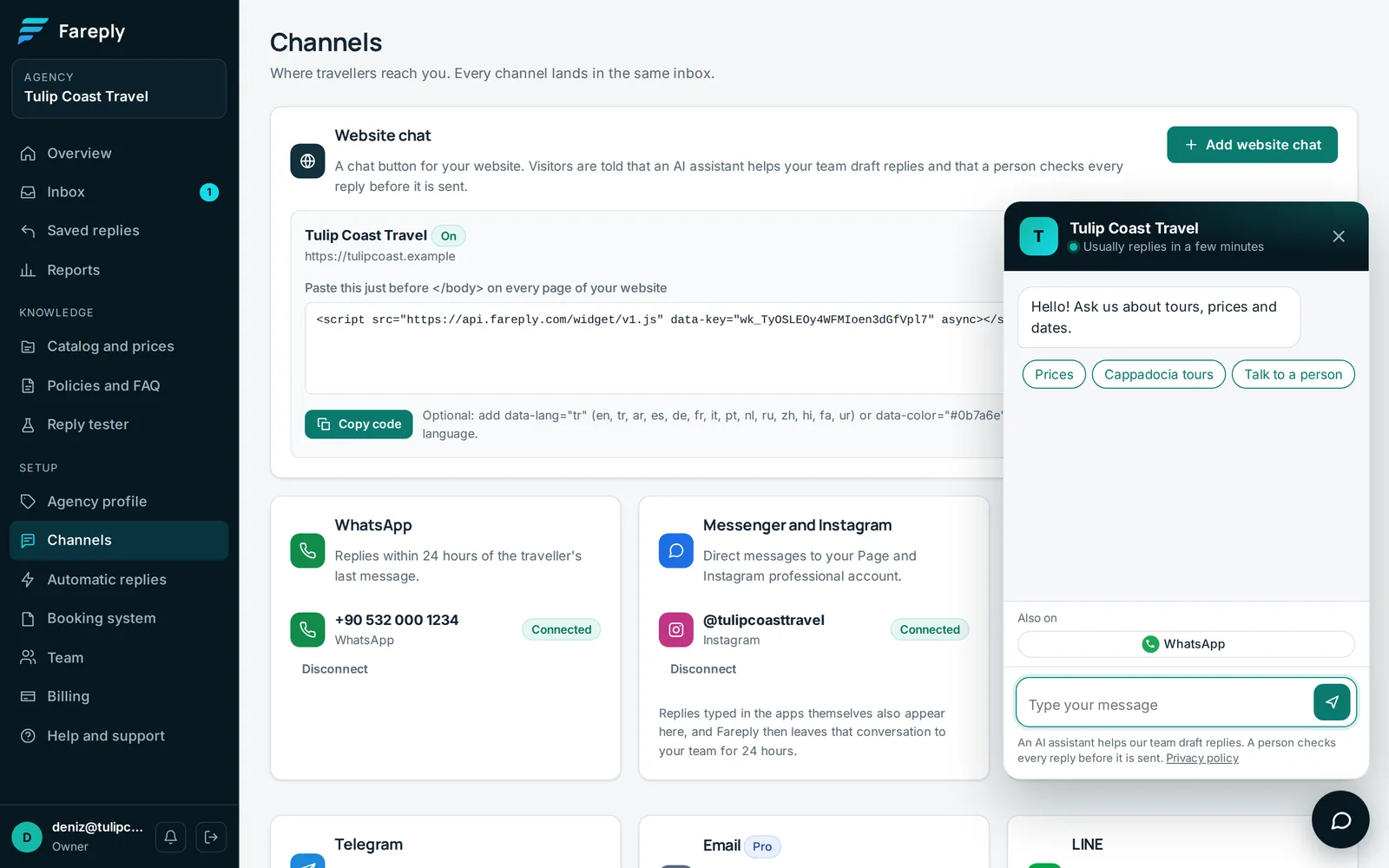
- On Channels (owners), click Add website chat.
- Fill in the name shown at the top of the chat, your privacy policy link and the websites where the chat may appear (one per line, starting with https://).
- Optional: a greeting, up to 4 quick replies, your usual reply time and opening hours. Outside opening hours the chat says you are away and asks for an email.
- Under Continue on other channels, add your WhatsApp number, Page, Instagram and other accounts. Empty fields hide their button. Click Save, then Preview.
Put it on your site
Click Copy code and paste it just before </body> on every page. On a website builder, use
its "custom code" or "footer code" setting. Optional settings in the code: data-lang="es" for the
language and data-color="#0b7a6e" for the colour.
If the chat does not appear: check that the site's address is in the list of websites. With and without
www count as two addresses: list both if visitors use both. Also check that the chat is switched on. Sites with a strict security policy
must allow scripts and connections from api.fareply.com.
Email follow-up
When a visitor leaves an email and has not seen your reply within 2 minutes, Fareply emails it to them once. You can turn this off under Visitor experience.
Files and ratings
Visitors and your team can send photos (JPEG, PNG, WebP) and PDFs up to 5 MB. When you close an answered chat, the visitor can rate it from 1 to 5 stars; ratings appear in Reports.
Your privacy policy
Mention the chat, that Fareply processes the messages for you, that an AI assistant drafts replies and, if on, the email follow-up.